
2.2.1. Taler Point of Sale (POS) Installation#

The Taler Point of Sale (POS) app allows merchants to maintain a product list and quickly generate and process Taler contracts and payments. It is ideal for environments such as mensas, cafeterias, or restaurants.

2.2.1.1. Android#

Required for this tutorial:

  • A device with Android 6.0 (API level 23) or later

2.2.1.1.1. Google Play Store#
  1. Open the Google Play Store.

  2. Visit the Taler POS page.

  3. Follow the prompts to install the Taler Point of Sale app.

  4. Ready to use for processing Taler payments!

  5. Follow our tutorial to learn how to use the app.

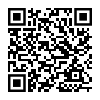
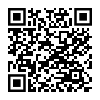
Taler POS installation from Google Play Store

2.2.1.1.2. F-Droid#

Taler POS installation from F-Droid
  1. Install F-Droid from the official website.

  2. Open the F-Droid app and let it update its repository list.

  3. Search for “Taler Merchant POS”.

  4. Install the Taler Point of Sale app.

  5. You’re ready to accept payments with GNU Taler!

  6. Follow our tutorial to learn how to use the app.

2.2.1.2. iOS#

Required for this tutorial:

  • An iPhone or iPad with iOS 16.0 or iPadOS 16.0 or later

2.2.1.2.1. TestFlight#

  1. Install TestFlight from the App Store.

  2. Open the Taler POS TestFlight invitation.

  3. Accept the invitation and install the Taler Point of Sale app.

  4. Follow our tutorial to learn how to use the app.

Taler POS installation from TestFlight