2.2.1. Taler Point of Sale (POS) Installation#

The Taler Point of Sale (POS) app allows merchants to maintain a product list and quickly generate and process Taler contracts and payments. It is ideal for environments such as mensas, cafeterias, or restaurants.

2.2.1.1. Android#

Wymagane dla tego samouczka:

  • A device with Android 6.0 (API level 23) or later

2.2.1.1.1. Sklep Google Play#

  1. Otwórz Sklep Google Play.

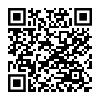
  2. Visit the Taler POS page.

  3. Postępuj zgodnie z instrukcjami, aby zainstalować aplikację Taler Point of Sale.

  4. Gotowy do użycia do przetwarzania płatności Taler!

  5. Postępuj zgodnie z naszym tutorialem, aby dowiedzieć się, jak korzystać z aplikacji.

Taler POS installation from Google Play Store

2.2.1.1.2. F-Droid#

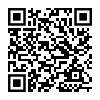
Taler POS installation from F-Droid
  1. Zainstaluj F-Droid z oficjalnej strony internetowej.

  2. Otwórz aplikację F-Droid i pozwól jej zaktualizować listę repozytoriów.

  3. Search for “Taler Merchant POS”.

  4. Zainstaluj aplikację Taler Point of Sale.

  5. Jesteś gotowy do akceptowania płatności za pomocą GNU Taler!

  6. Postępuj zgodnie z naszym tutorialem, aby dowiedzieć się, jak korzystać z aplikacji.

2.2.1.2. iOS#

Wymagane dla tego samouczka:

  • An iPhone or iPad with iOS 16.0 or iPadOS 16.0 or later

2.2.1.2.1. TestFlight#

  1. Install TestFlight from the App Store.

  2. Open the Taler POS TestFlight invitation.

  3. Accept the invitation and install the Taler Point of Sale app.

  4. Postępuj zgodnie z naszym tutorialem, aby dowiedzieć się, jak korzystać z aplikacji.

Taler POS installation from TestFlight