

2.2.3. Sign in to the Point-of-Sale App#
The point-of-sale app connects to a GNU Taler Merchant Portal account. The
account and the password must already exist before the merchant can use the app.
For the Merchant Portal setup, see the
Merchant Portal tutorials. To obtain a hosted account on
my.taler-ops.ch, see Obtain an Instance on my.taler-ops.ch. To try the app
with the public demo Merchant Portal instead, see
the sandbox instructions.
Open the app and enter the Merchant Portal URL and password.
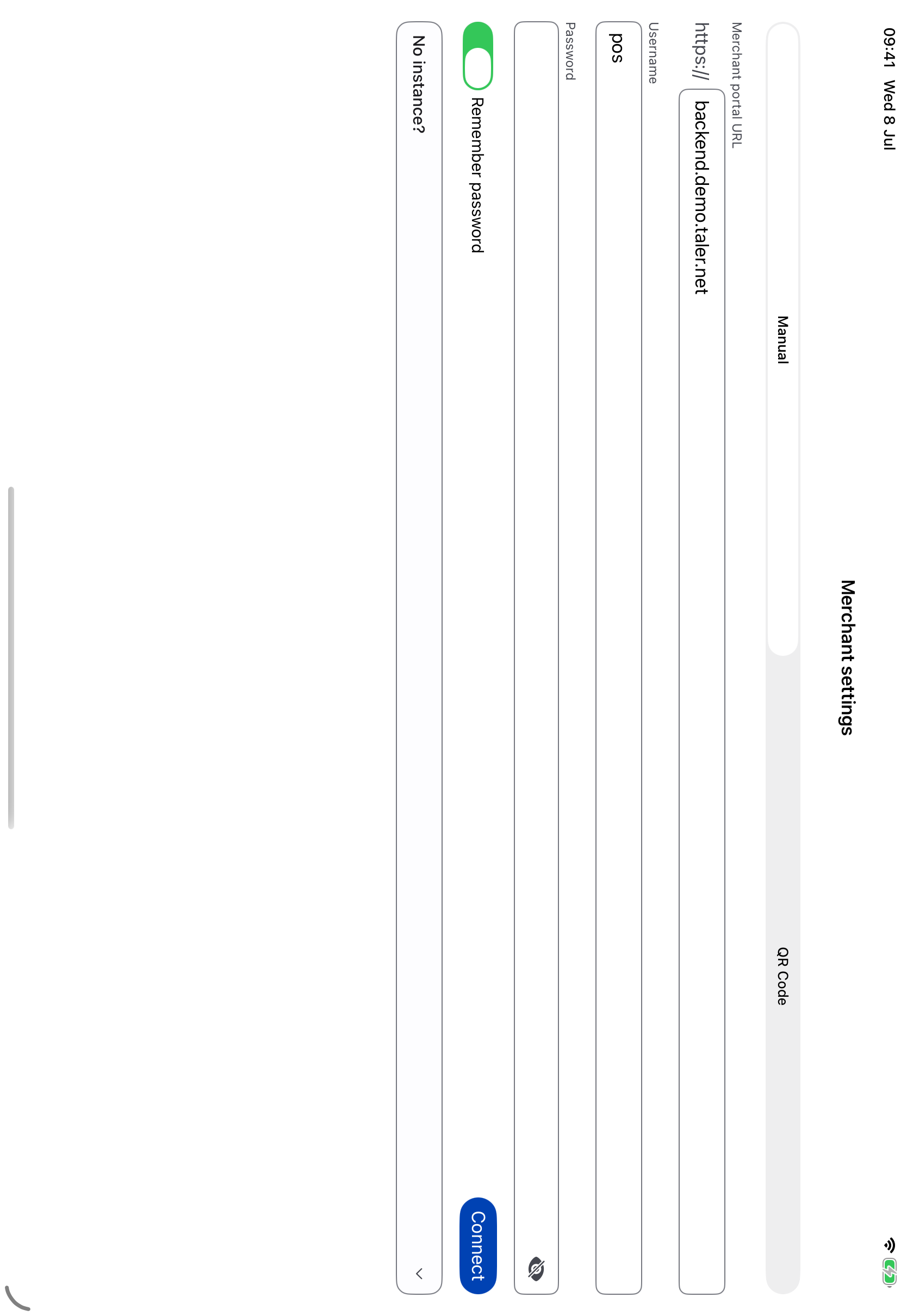
Login screen for connecting the app to a Merchant Portal account.#
If the Merchant Portal account requires multi-factor authentication, select the available authentication method.
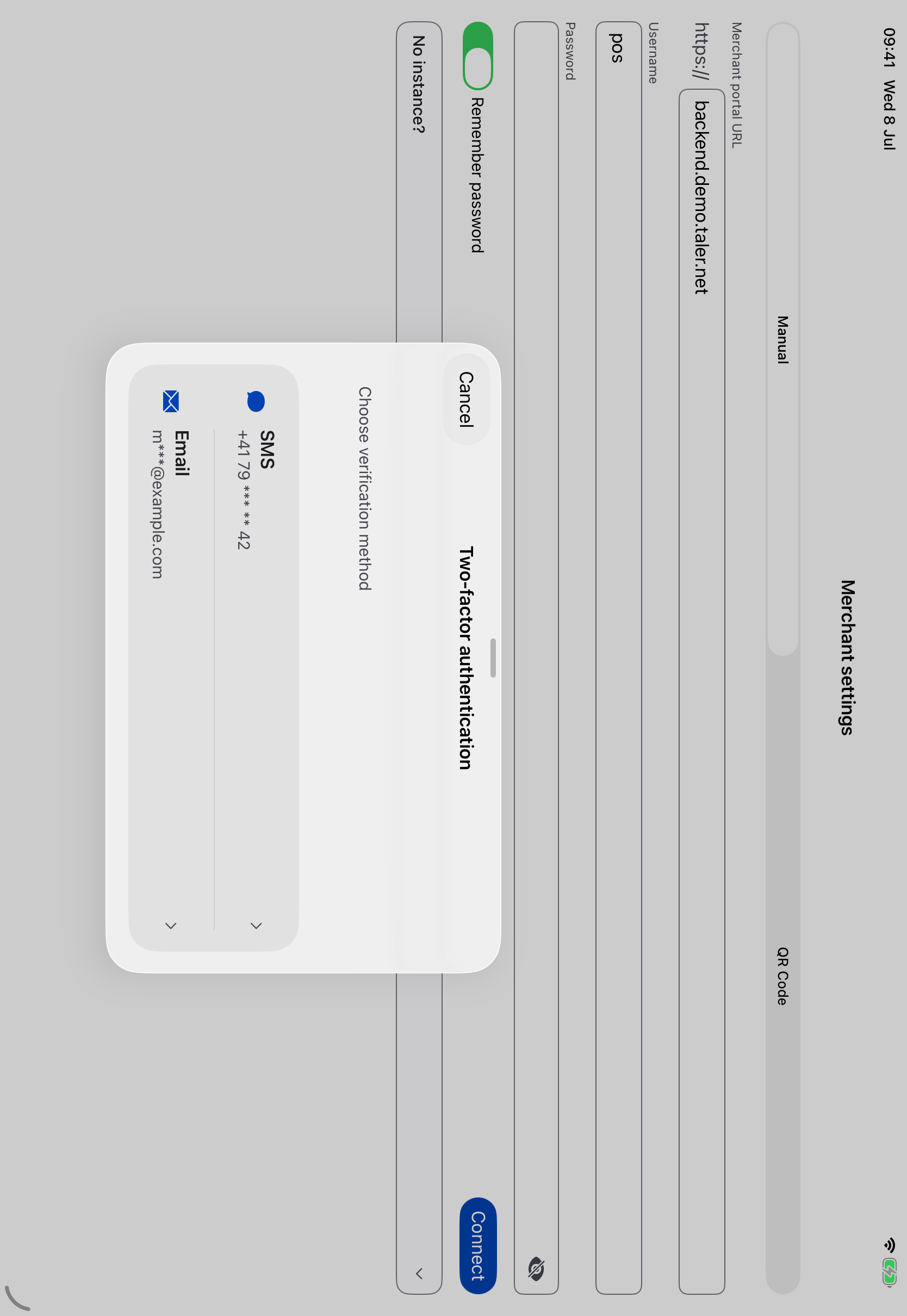
Selecting the authentication method for the Merchant Portal account.#
Then enter the generated one-time code to finish the login.
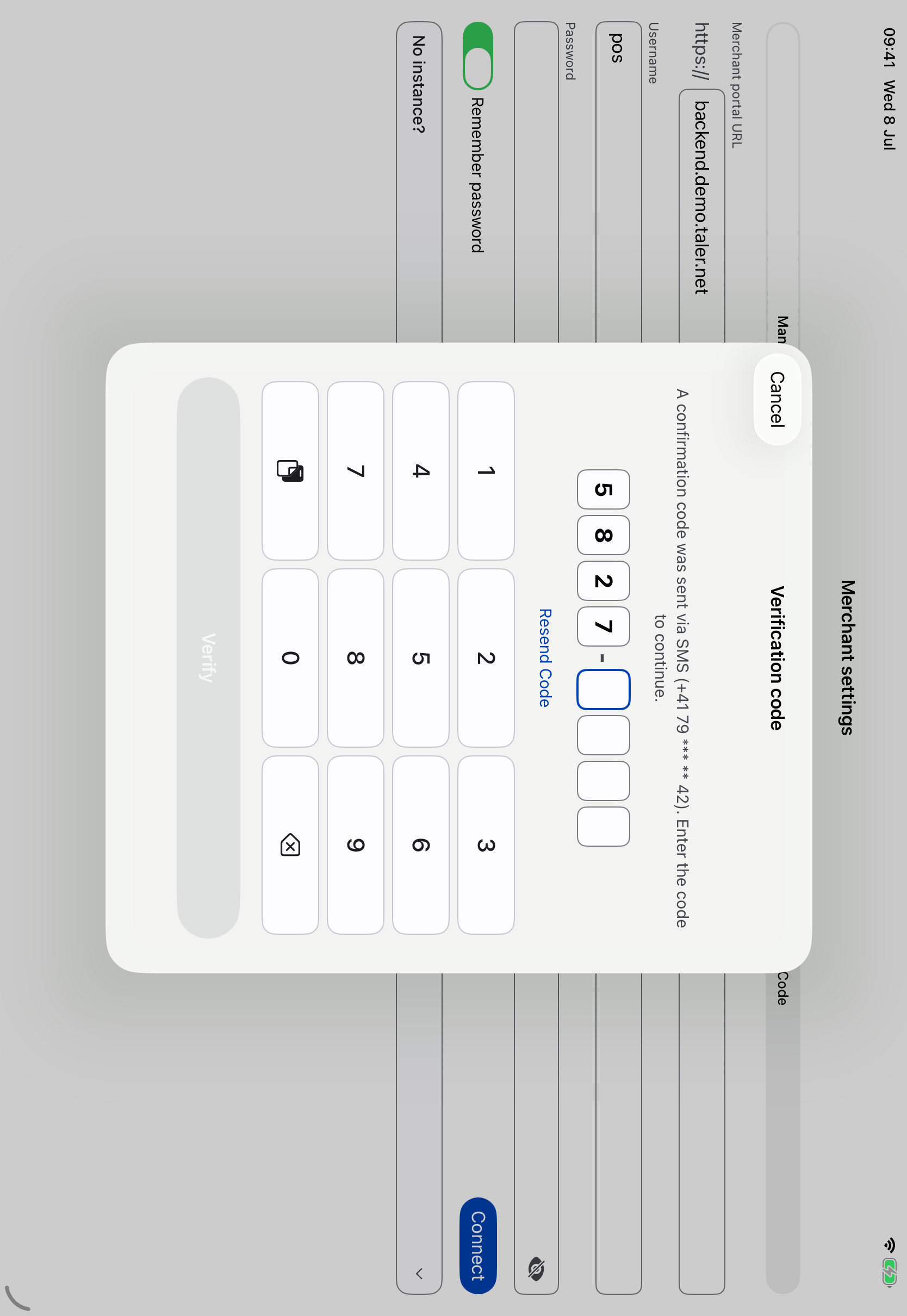
Entering the one-time code required by the Merchant Portal.#
After a successful sign-in, the main navigation is available. From here the merchant can create orders, inspect the order history, and handle refunds.
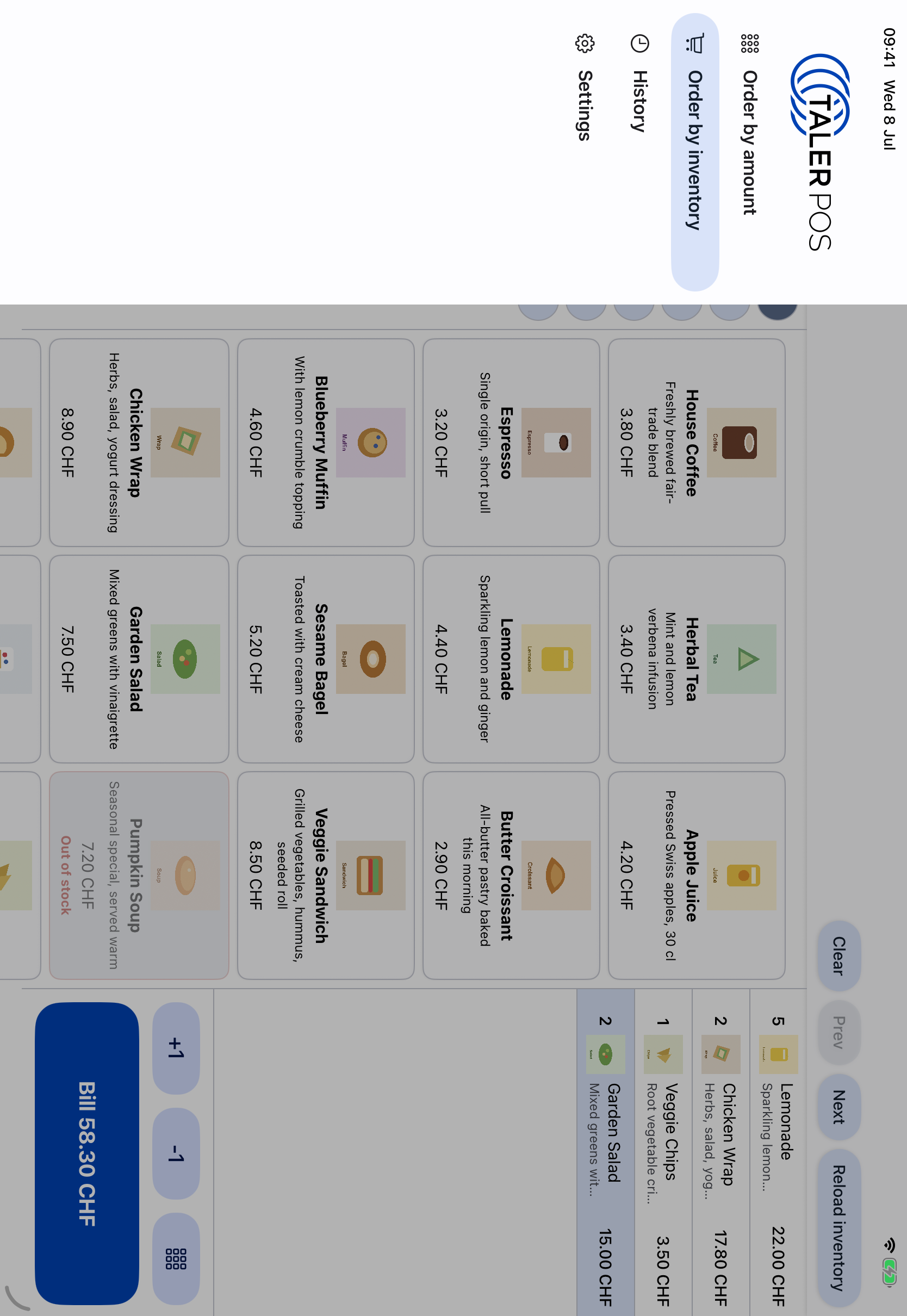
Main navigation after the app is connected to the Merchant Portal.#