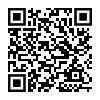
Taler Point of Sale (POS) Installation

2.2.1. Taler Point of Sale (POS) Installation#

The Taler Point of Sale (POS) app allows merchants to maintain a product list and quickly generate and process Taler contracts and payments. It is ideal for environments such as mensas, cafeterias, or restaurants.

2.2.1.1. Android#

Απαιτείται για αυτό το σεμινάριο:

  • A device with Android 8.0 (API level 26) or later

2.2.1.1.1. Google Play Store#

  1. Ανοίξτε το Google Play Store.

  2. Visit the Taler POS page.

  3. Ακολουθήστε τις οδηγίες για να εγκαταστήσετε την εφαρμογή Taler Point of Sale.

  4. The app is ready to use for processing Taler payments!

  5. Follow our tutorial to learn how to use the app.

Taler POS installation from Google Play Store

2.2.1.1.2. F-Droid#

Taler POS installation from F-Droid
  1. Εγκαταστήστε το F-Droid από την επίσημη ιστοσελίδα.

  2. Ανοίξτε την εφαρμογή F-Droid και αφήστε την να ενημερώσει τη λίστα αποθετηρίων της.

  3. Search for “Taler Merchant POS”.

  4. Εγκαταστήστε την εφαρμογή Taler Point of Sale.

  5. Είστε έτοιμοι να δεχτείτε πληρωμές με το GNU Taler!

  6. Follow our tutorial to learn how to use the app.

2.2.1.2. iOS#

Απαιτείται για αυτό το σεμινάριο:

  • An iPhone or iPad with iOS 16.0 or iPadOS 16.0 or later

2.2.1.2.1. App Store#

  1. Open Taler POS in the App Store.

  2. Install Taler POS on your iPhone or iPad.

  3. Continue with Χρήση της εφαρμογής Point-of-Sale.

Taler POS installation from the App Store