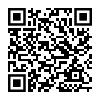

2.2.1. Taler Point of Sale (POS) Installation#

The Taler Point of Sale (POS) app allows merchants to maintain a product list and quickly generate and process Taler contracts and payments. It is ideal for environments such as mensas, cafeterias, or restaurants.

2.2.1.1. Android#

Ehhez a bemutatóhoz szükséges:

  • A device with Android 8.0 (API level 26) or later

2.2.1.1.1. Google Play Store#

  1. Nyissa meg a Google Play Store-t.

  2. Visit the Taler POS page.

  3. Kövesse az utasításokat a Taler Point of Sale alkalmazás telepítéséhez.

  4. The app is ready to use for processing Taler payments!

  5. Follow our tutorial to learn how to use the app.

Taler POS installation from Google Play Store

2.2.1.1.2. F-Droid#

Taler POS installation from F-Droid
  1. Telepítse az F-Droidot a hivatalos weboldalról <https://f-droid.org/>`_.

  2. Nyissa meg az F-Droid alkalmazást, és hagyja, hogy frissítse a tárolók listáját.

  3. Search for “Taler Merchant POS”.

  4. Telepítse a Taler Point of Sale alkalmazást.

  5. Készen áll a GNU Talerrel történő fizetés elfogadására!

  6. Follow our tutorial to learn how to use the app.

2.2.1.2. iOS#

Ehhez a bemutatóhoz szükséges:

  • An iPhone or iPad with iOS 16.0 or iPadOS 16.0 or later

2.2.1.2.1. App Store#

  1. Open Taler POS in the App Store.

  2. Install Taler POS on your iPhone or iPad.

  3. Continue with Az értékesítési pont alkalmazás használata.

Taler POS installation from the App Store