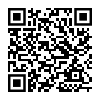
2.2.1. Taler Point of Sale (POS) Installation#

The Taler Point of Sale (POS) app allows merchants to maintain a product list and quickly generate and process Taler contracts and payments. It is ideal for environments such as mensas, cafeterias, or restaurants.

2.2.1.1. Android#

Necessário para este tutorial:

  • A device with Android 8.0 (API level 26) or later

2.2.1.1.1. Google Play Store#
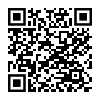
  1. Abra a Google Play Store.

  2. Visit the Taler POS page.

  3. Siga as instruções para instalar a aplicação Taler Point of Sale.

  4. The app is ready to use for processing Taler payments!

  5. Follow our tutorial to learn how to use the app.

Taler POS installation from Google Play Store

2.2.1.1.2. F-Droid#

Taler POS installation from F-Droid
  1. Instalar o F-Droid a partir do sítio oficial.

  2. Abra a aplicação F-Droid e deixe-a atualizar a sua lista de repositórios.

  3. Search for “Taler Merchant POS”.

  4. Instalar a aplicação Taler Point of Sale.

  5. Está pronto para aceitar pagamentos com o GNU Taler!

  6. Follow our tutorial to learn how to use the app.

2.2.1.2. iOS#

Necessário para este tutorial:

  • An iPhone or iPad with iOS 16.0 or iPadOS 16.0 or later

2.2.1.2.1. App Store#

  1. Open Taler POS in the App Store.

  2. Install Taler POS on your iPhone or iPad.

  3. Continue with Utilizar a aplicação do ponto de venda.

Taler POS installation from the App Store