

2.4.4. Transakcje wychodzące#
Ten moduł obsługuje następujące płatności wychodzące:
Faktury zamówień dostawców
Noty kredytowe zamówień klientów
2.4.4.1. Nota kredytowa zamówienia klienta#
Po pierwsze, utwórz notę kredytową dla jakiejś faktury. Musi ona wykorzystywać przelew bankowy oraz to samo konto bankowe, które zostało skonfigurowane z LibEuFin Connector, etykieta 1.
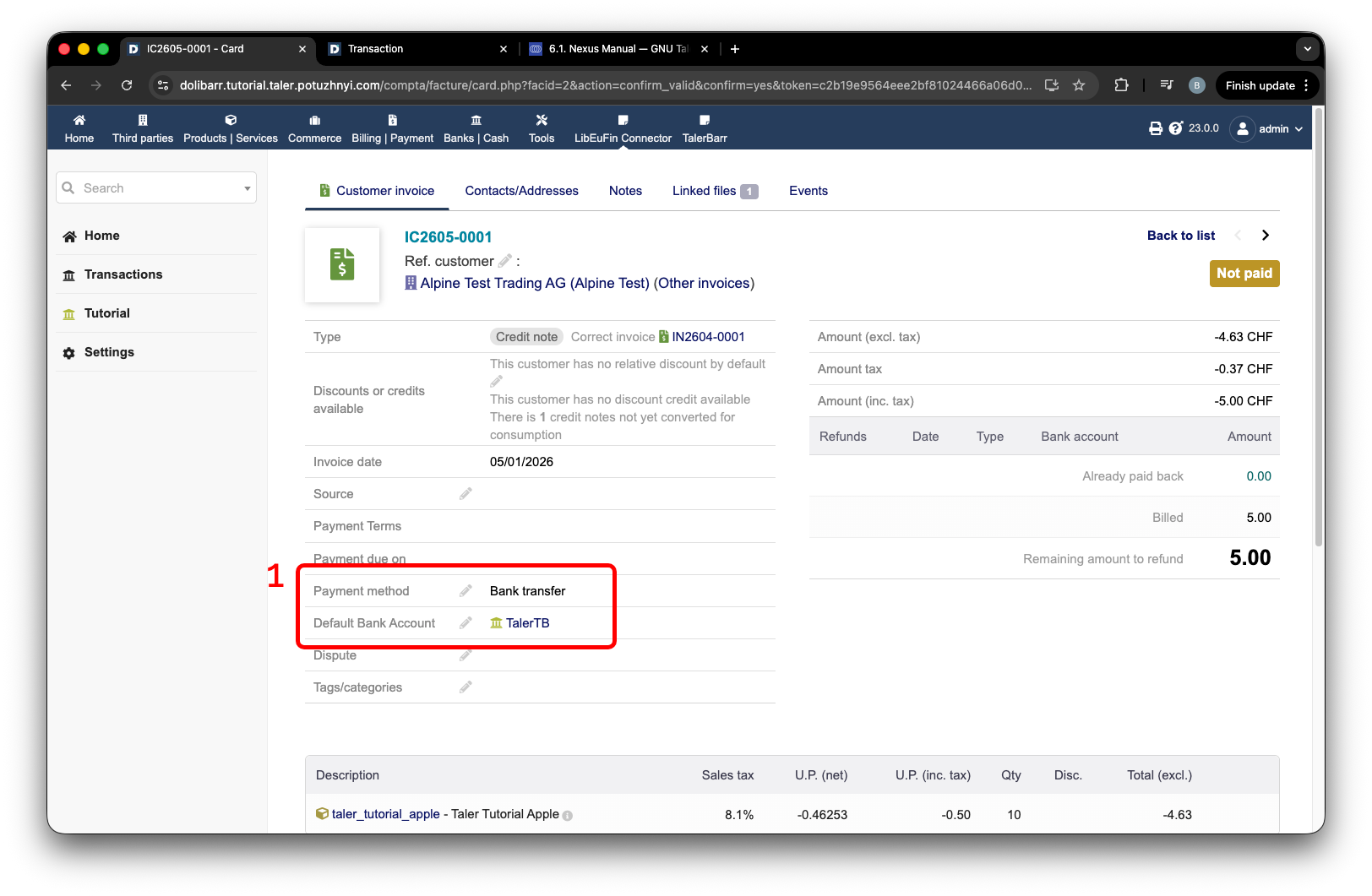
Nota kredytowa klienta skonfigurowana pod kątem przelewu bankowego.#
Następnie musisz utworzyć płatność dla klienta za pomocą tej noty kredytowej. Wprowadź kwotę, etykieta 1, i naciśnij Pay back, etykieta 2.
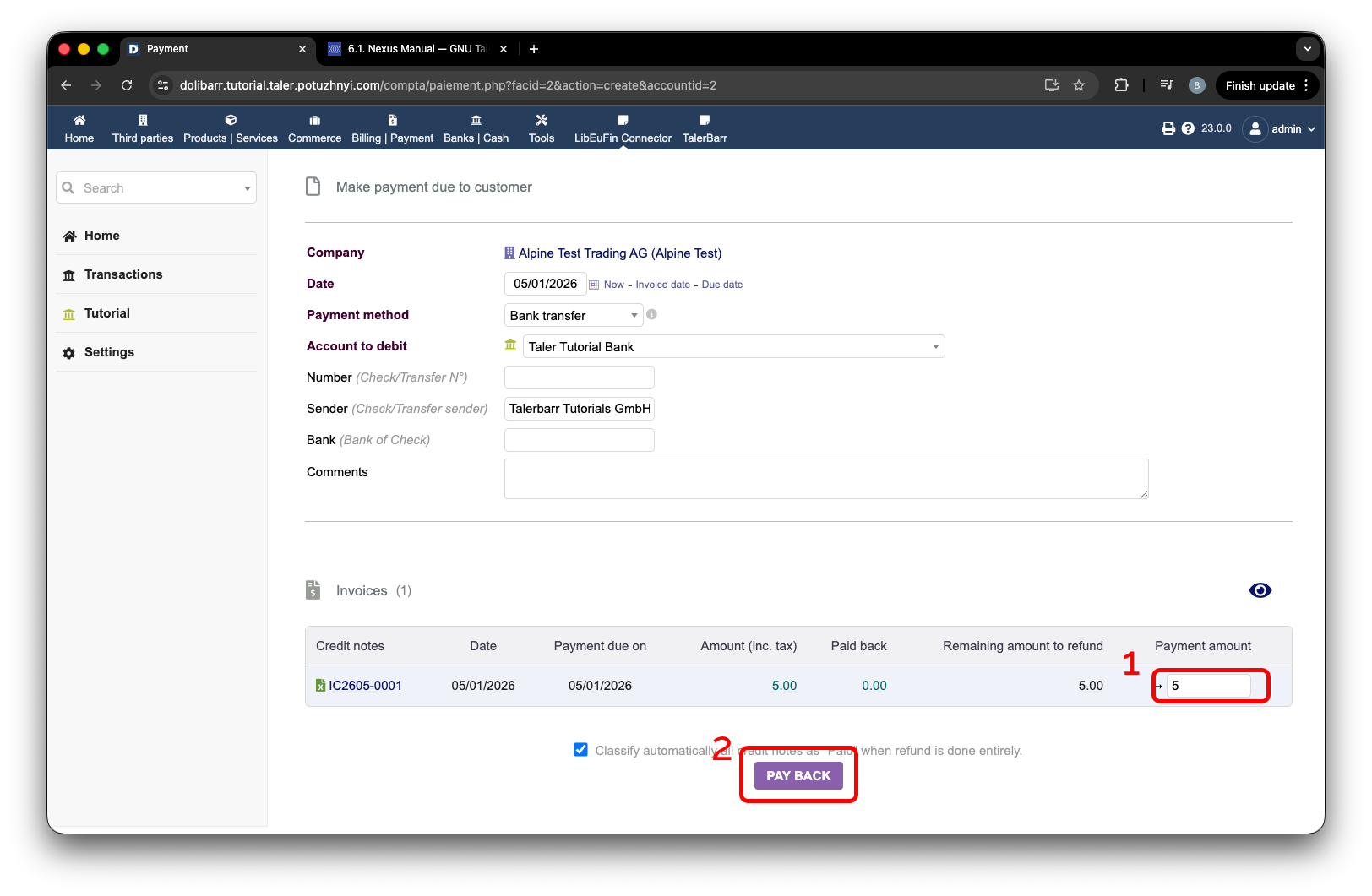
Tworzenie zwrotu płatności dla klienta z noty kredytowej.#
Następnie przejdź do modułu, etykieta 1, przejdź do strony transakcji, etykieta 2, i naciśnij Collect outgoing, etykieta 3. Gdy tylko nastąpi aktualizacja, zobaczysz nowy wpis podobny do etykiety 4. Ponieważ Dolibarr zna konto bankowe tego klienta, ustawia je domyślnie, ale oczywiście możesz chcieć je zmienić. W tym celu przejdź do strony transakcji, etykieta 5.
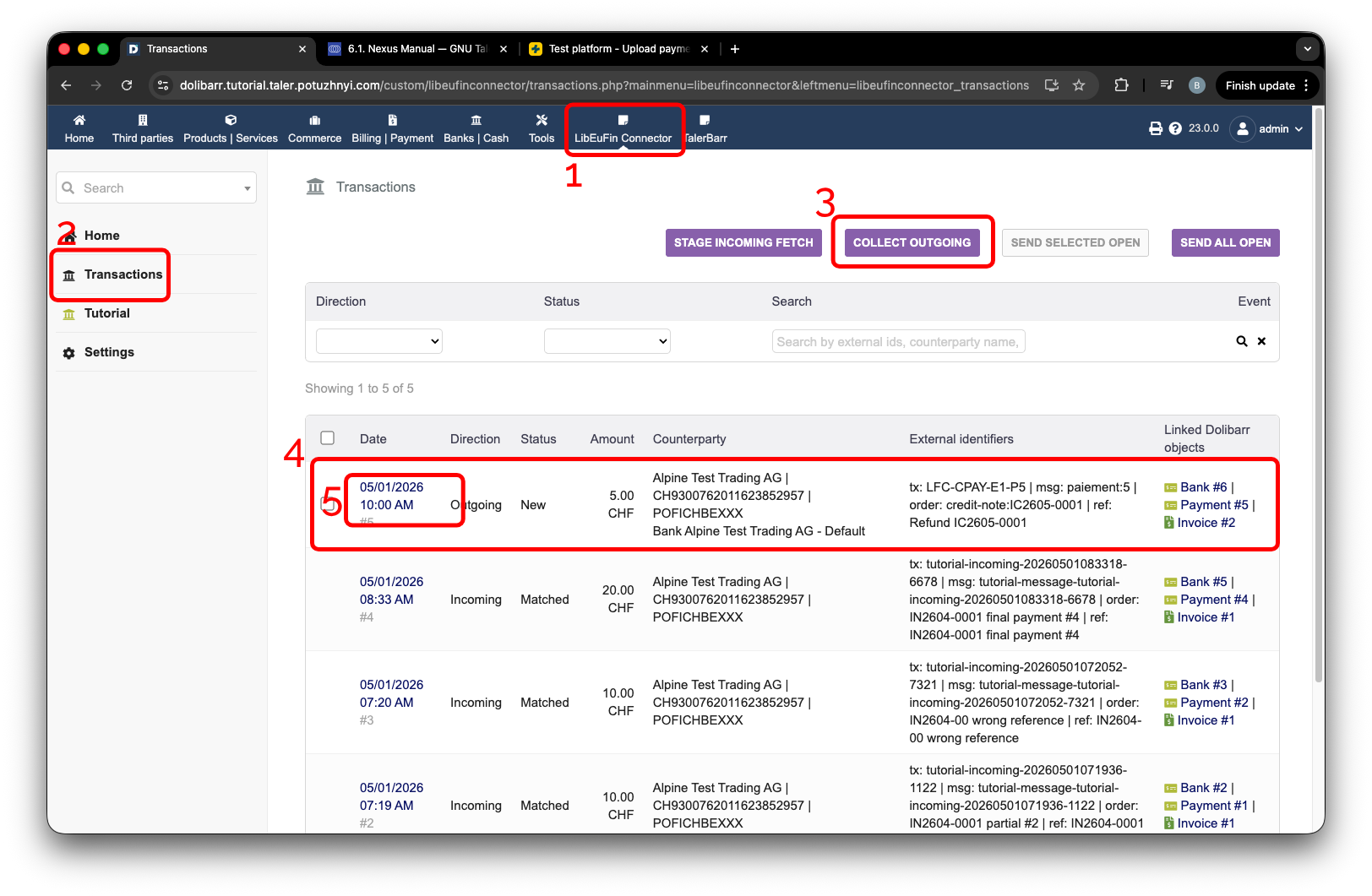
Zbieranie wychodzących płatności z noty kredytowej klienta.#
Dla wychodzących kont bankowych możesz wybrać spośród kont bankowych powiązanych z klientem, do którego próbujemy dokonać płatności, za pomocą listy rozwijanej przy etykiecie 1.
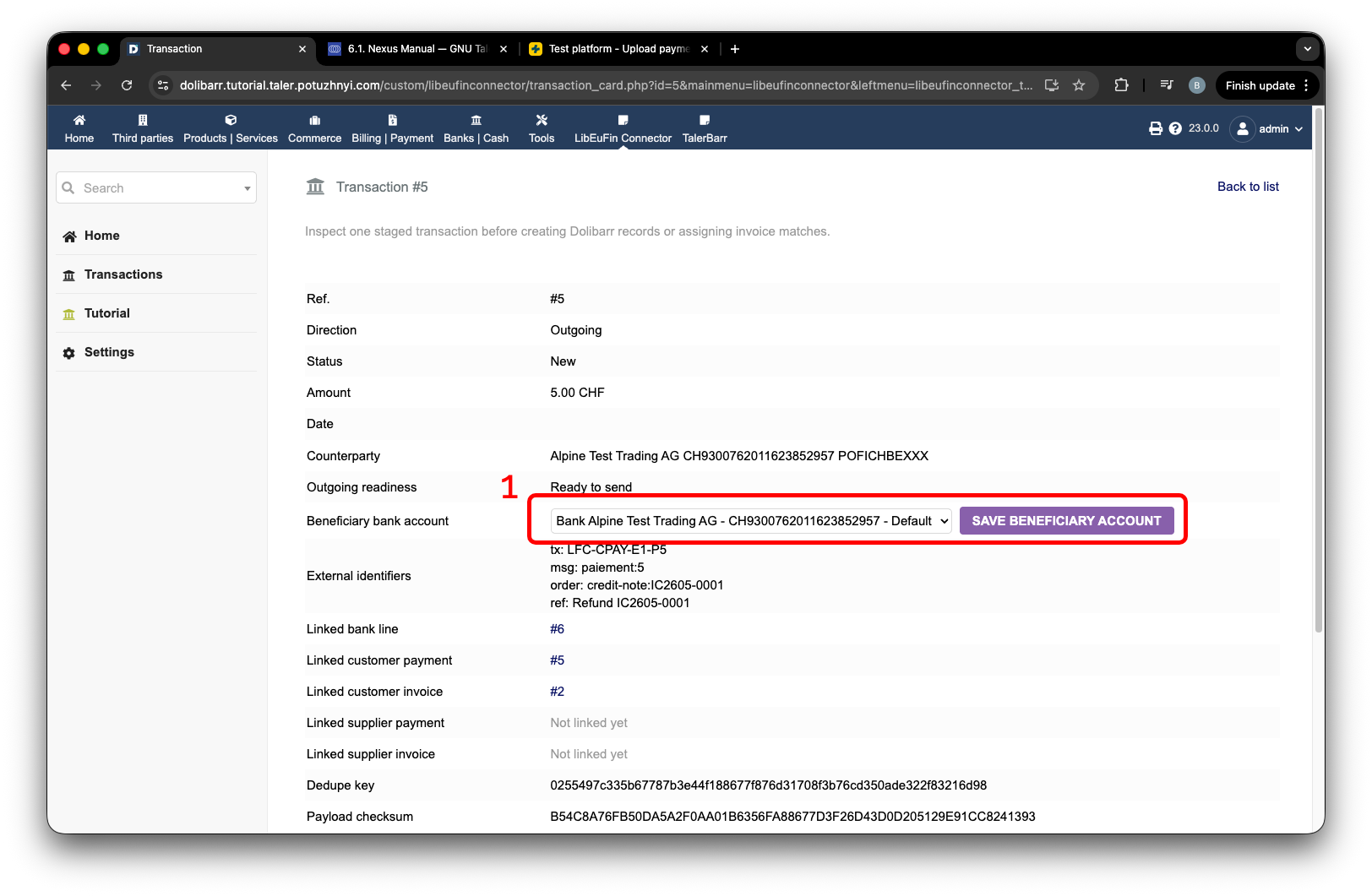
Wybór konta bankowego odbiorcy dla płatności wychodzącej.#
Gdy tylko wybierzesz konto odbiorcy zgodnie z oczekiwaniami, możesz chcieć faktycznie wysłać je do banku. W tym celu dostępne są głównie 2 opcje:
Send selected open
Send all open
Pierwsza opcja istnieje po to, by za pomocą pól wyboru, etykieta 1, wybrać transakcje, które chcesz wysłać, etykieta 2. Oczywiście dostępna jest też opcja Send all open, etykieta 3, jeśli chcesz wysłać je wszystkie razem.
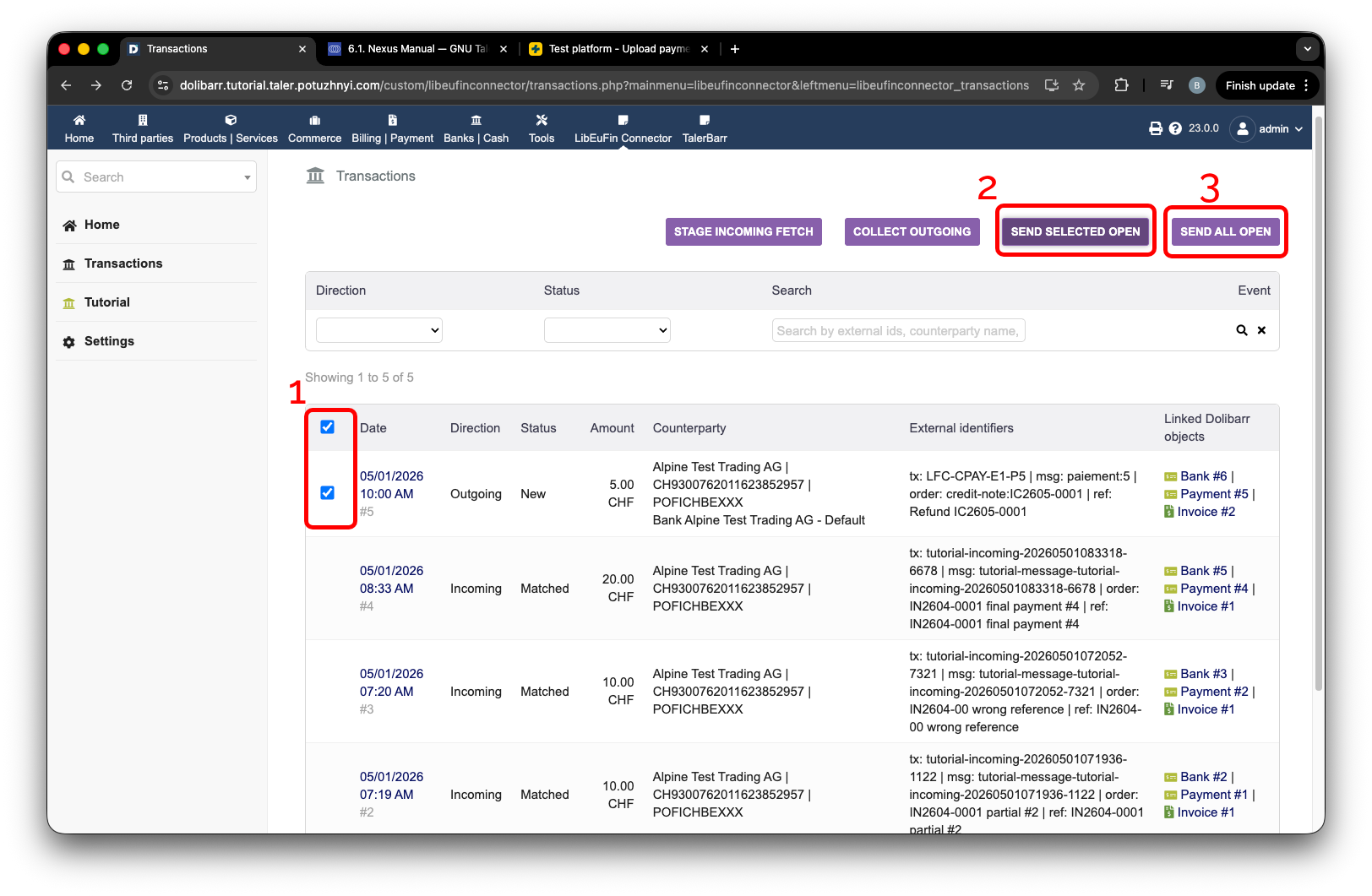
Wysyłanie wybranych lub wszystkich otwartych płatności wychodzących.#
Możesz zweryfikować, że transakcja została faktycznie wysłana, sprawdzając swój bank. Oto przykładowy zrzut ekranu z mojego testowego konta PostFinance, na którym widzimy wysłaną transakcję, etykieta 1.
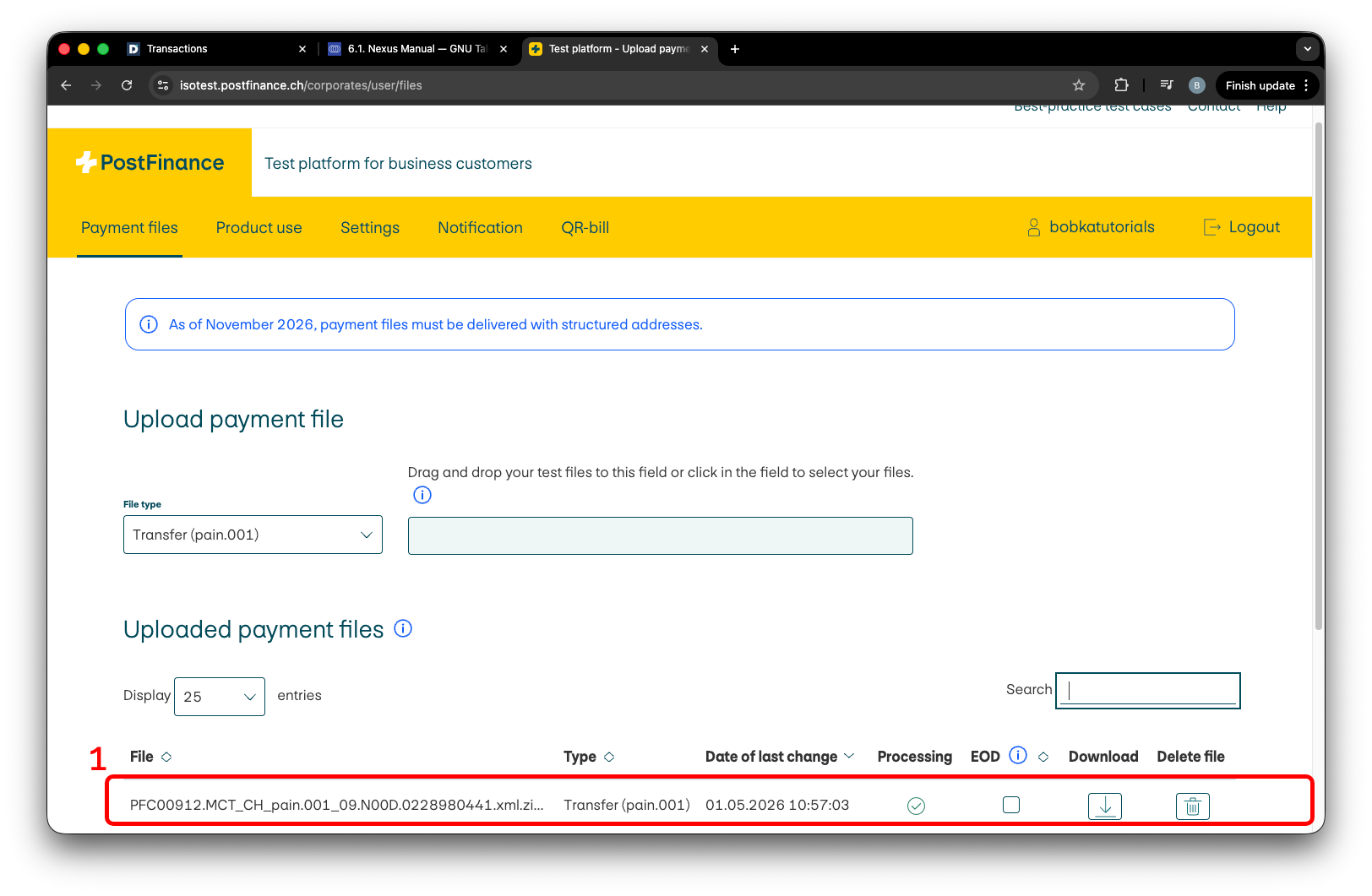
Płatność wychodząca widoczna na testowym koncie bankowym.#
Ponieważ oczywiście nie zapewniam Ci dostępu do niego, możesz chcieć zweryfikować to samodzielnie. W tym celu przejdź na stronę samouczka, etykieta 1, a następnie naciśnij Show all transactions, etykieta 2. Po pewnym czasie pojawi się wynik konsoli, pokazujący dane przechowywane w bazie danych modułu libeufin-nexus. Różni się to od modułu Dolibarr, z którym pracujesz, a w konfiguracji demo jest to najbliższa rzecz do banku.
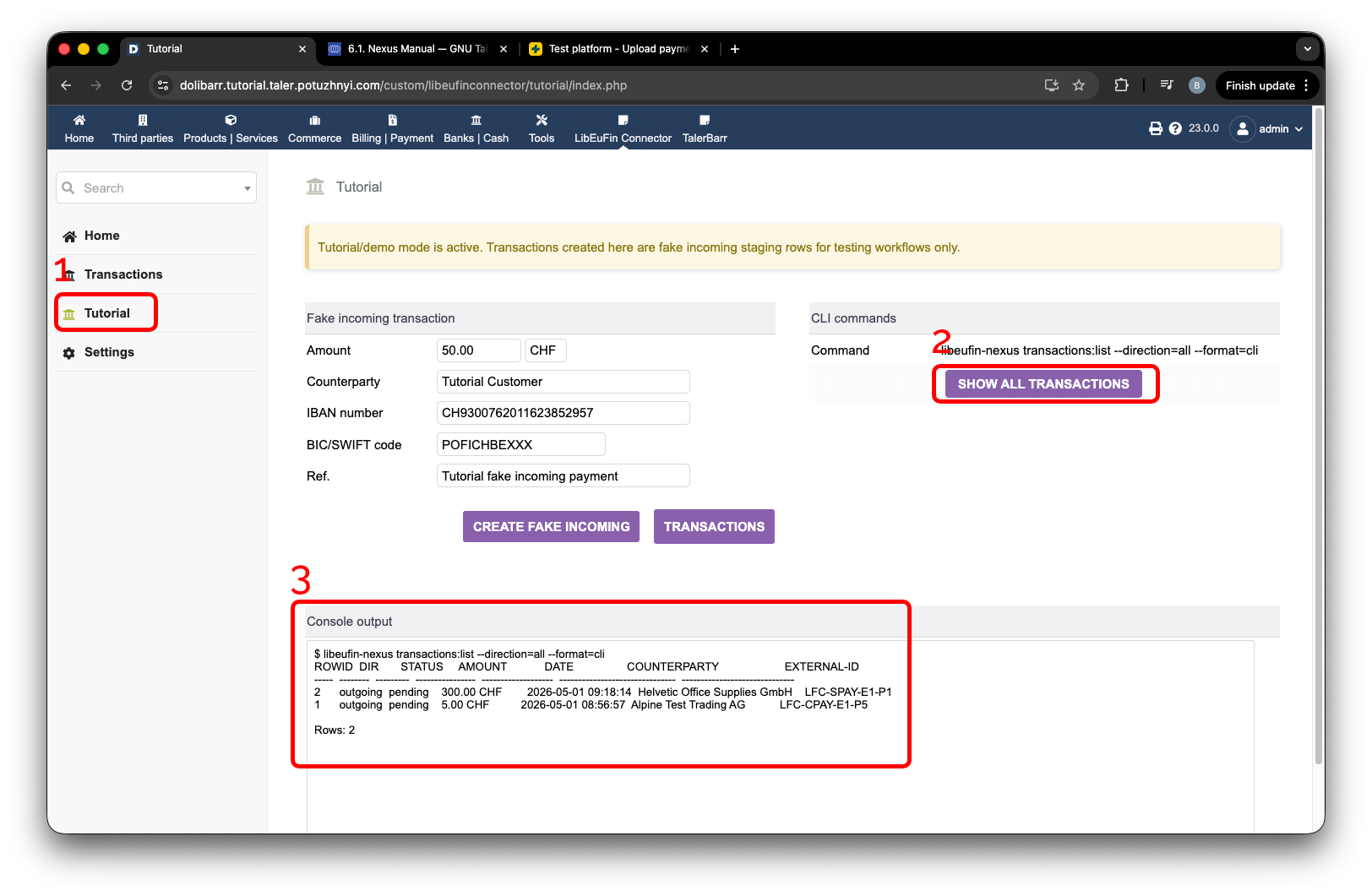
Ekran demo pokazujący transakcje przechowywane w libeufin-nexus.#
I tym samym wiesz już, jak dokonywać płatności wychodzących dla not kredytowych faktur klientów.
2.4.4.2. Faktura zamówienia dostawcy#
Jak zawsze, musisz utworzyć fakturę dostawcy. Jako przykład możesz sprawdzić następne zdjęcie. Jedyna kwestia to to, że nie jest ona jeszcze zweryfikowana. Aby kontynuować, musisz ją zweryfikować.
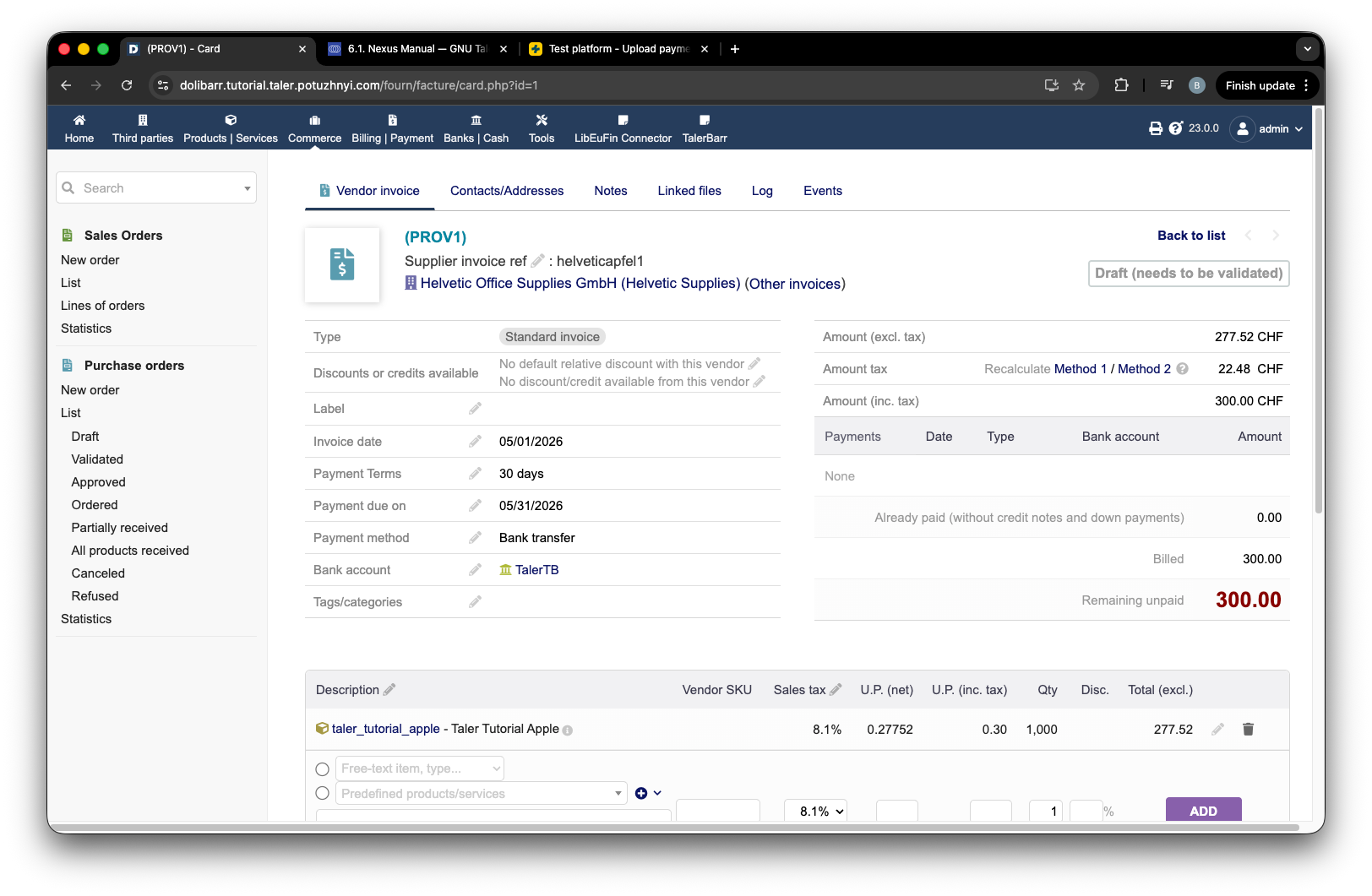
Przykład faktury dostawcy w Dolibarr.#
Następnie musisz dodać do niej płatność. Wprowadź kwotę, etykieta 1, i naciśnij Pay, etykieta 2, na następnym zrzucie ekranu.
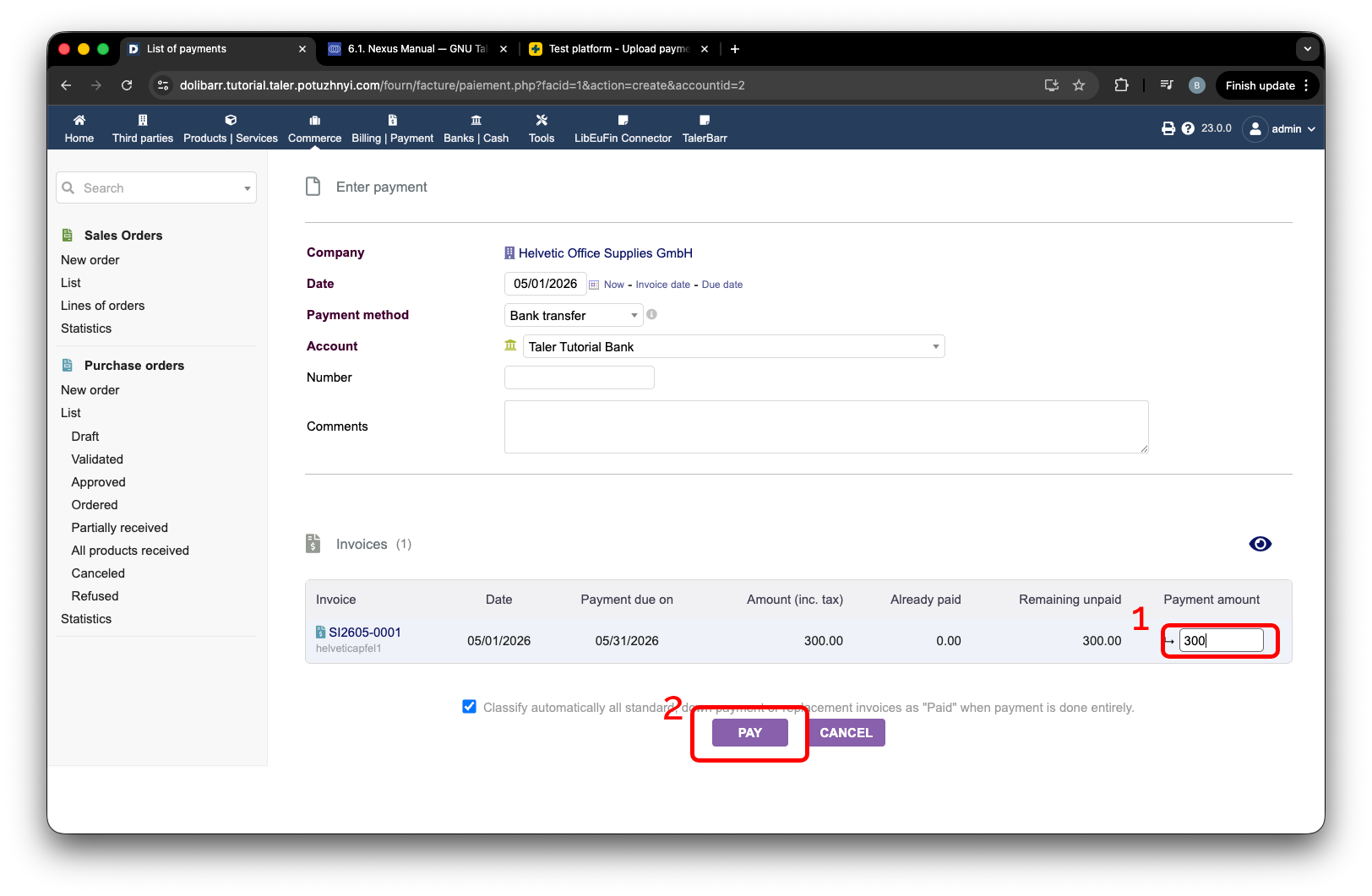
Dodawanie płatności faktury dostawcy.#
Gdy już to zrobisz, musisz przejść do strony modułu, etykieta 1, następnie do strony transakcji, etykieta 2, i zebrać płatność wychodzącą, etykieta 3. W tym przykładzie korzystam z Send all open, etykieta 4.
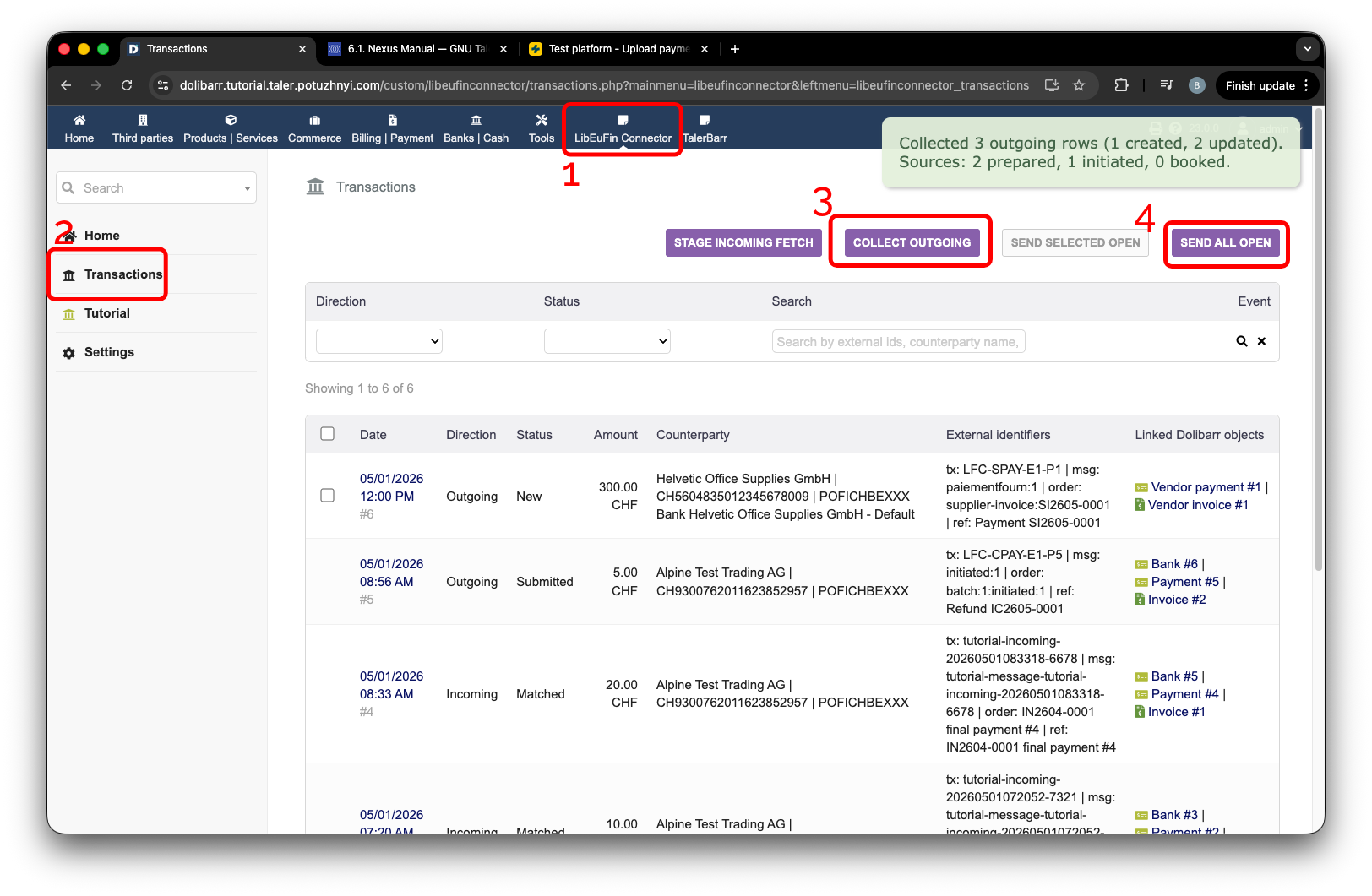
Zbieranie i wysyłanie wychodzących płatności faktury dostawcy.#
Po pewnym czasie, w trakcie przesyłania do libeufin-nexus, zobaczysz, że status transakcji zmienia się na Submitted.
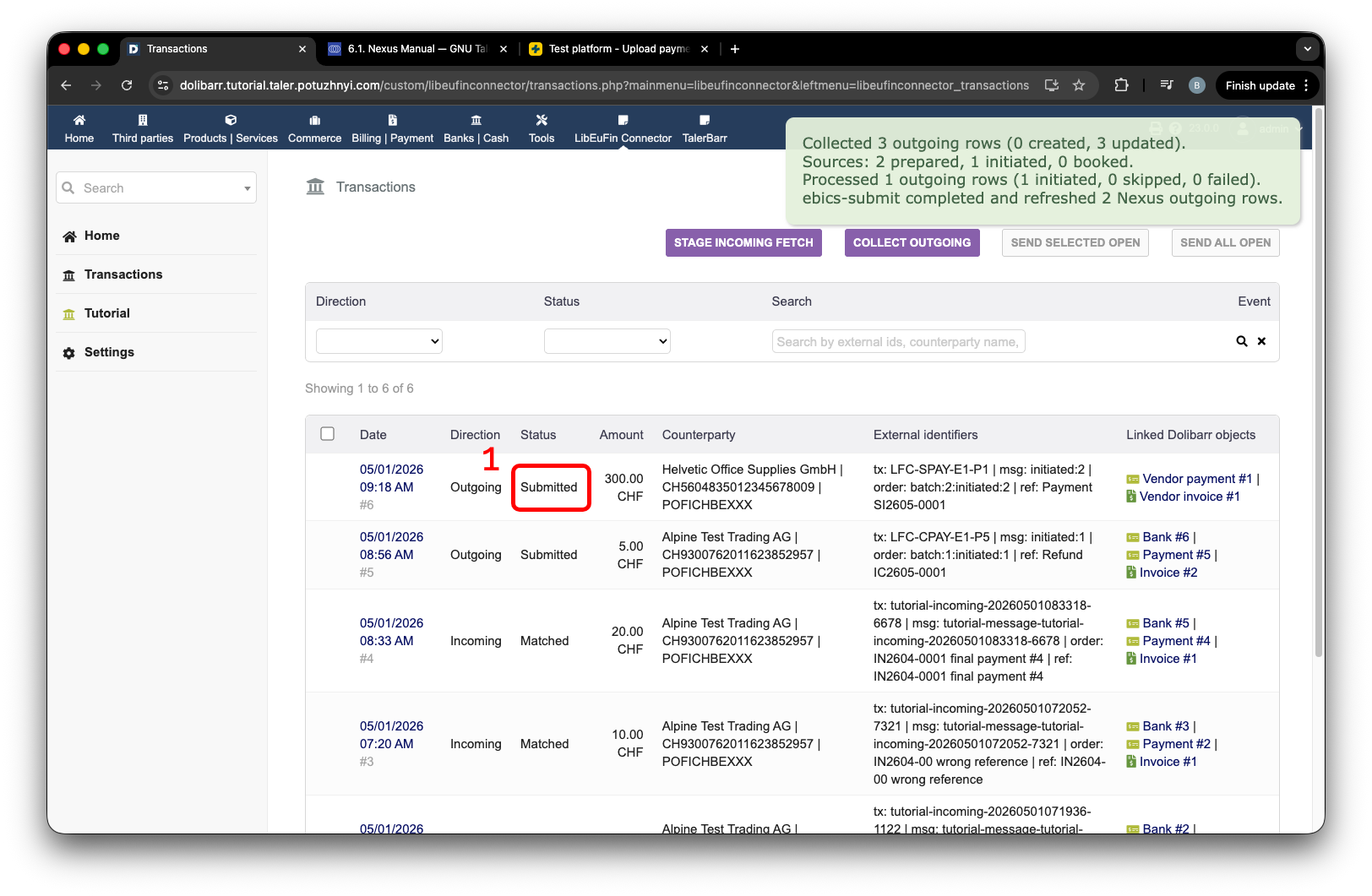
Płatność wychodząca faktury dostawcy przesłana do libeufin-nexus.#
Możesz również zweryfikować, że transakcja wychodząca jest zapisywana w taki sam sposób jak w przypadku noty kredytowej zamówienia klienta. Tutaj widzimy to zamówienie dostawcy w wynikach transakcji libeufin-nexus.
Wyniki transakcji libeufin-nexus zawierające płatność zamówienia dostawcy.#
Alternatywnie, pojawia się to również na stronie internetowej banku. W moim przypadku jest to testowe konto PostFinance. Widzimy tę transakcję wyróżnioną etykietą 1.
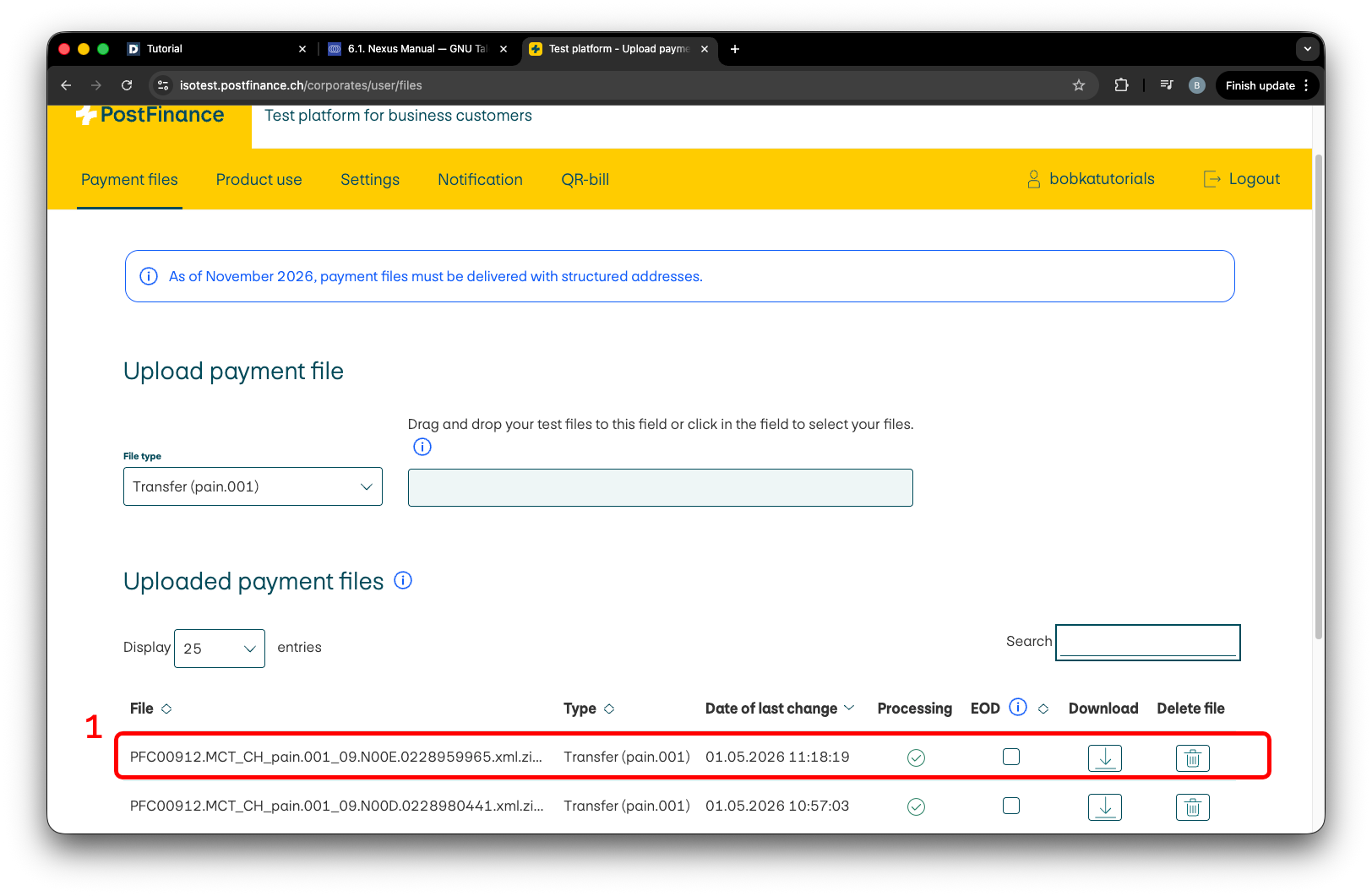
Płatność wychodząca dostawcy widoczna na testowym koncie bankowym.#
W ten sposób wiesz już, jak działają transakcje wychodzące w tym module.
2.4.4.3. Kolejny krok#
Skoro zaobserwowałeś już, jak działają transakcje wychodzące, zapraszamy do zapoznania się z samouczkiem Transakcje przychodzące. Jeśli nadal nie zainstalowałeś modułu, sprawdź Instalacja i konfiguracja.
Aby uzyskać szczegóły dotyczące standardowych obiektów Dolibarr używanych tutaj, sprawdź również oficjalną dokumentację Dolibarr dotyczącą faktur klientów i faktur dostawców.